Guide / 04
Logging transactions
Quick entry: type one line
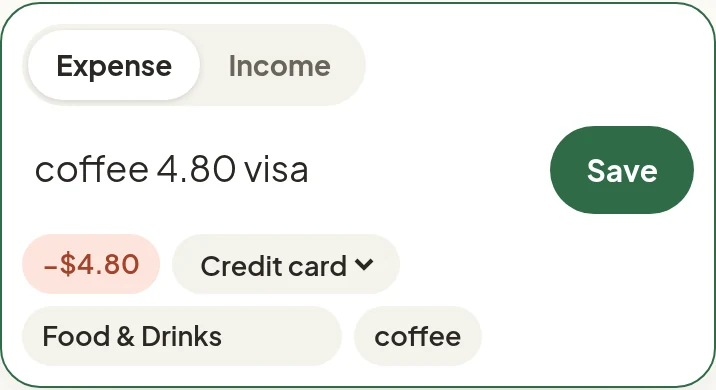
Type into the Quick entry box the way you’d say it, then press Enter or Save. Before saving, Kalem shows its guess: amount, account, category, and date. Tap any of them to change it.
| You type | Kalem records |
|---|---|
coffee 4.80 visa |
Expense of $4.80 from your credit card, category Food & Drinks |
gas 50 yesterday |
An expense dated yesterday |
groceries 1.2k checking |
Expense of $1,200 from Checking |
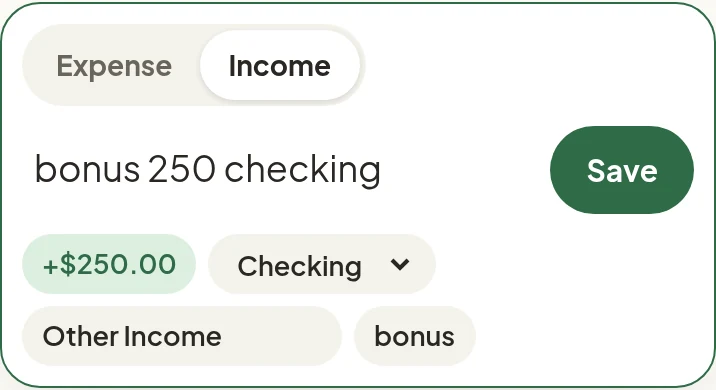
salary 3800 checking |
Income, because words like salary, bonus, and refund mean money in |
- Amounts:
4.80,25k,1,500, and plain numbers. - Accounts: matched by account name or alias. Set aliases in Settings → Accounts, for example
visaorchecking. - Dates:
yesterday, a day name, or nothing for today. - Categories: guessed from the shop or words you used before. Kalem learns from your corrections.
- Expense / Income: use the switch above the box when the text alone isn’t clear.
Add a new category right from the box
Type a category that doesn’t exist yet in the category field and choose + Add category “…”. It’s created and selected at once.
Paste a bank or e-wallet notification
Copy the text of a notification from your bank or e-wallet and paste it into the Quick entry box. Kalem reads the amount, the shop, and whether money went in or out. Entries from notifications are marked To review, so you can confirm them with one tap.
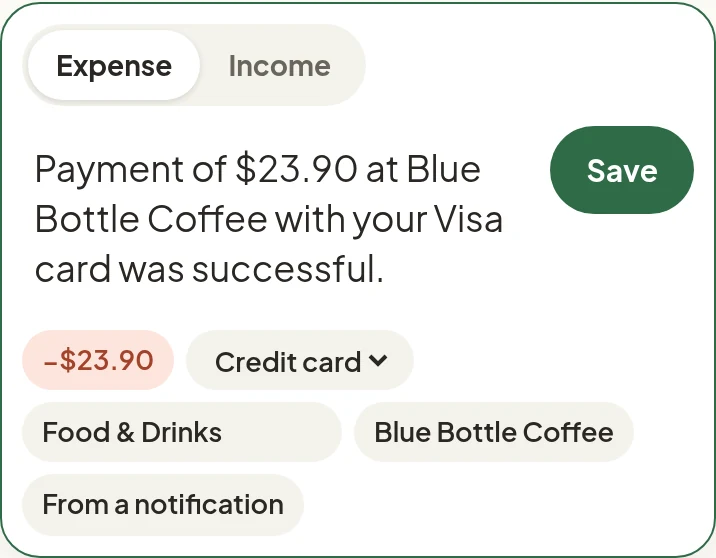
On Android, once Kalem is installed it appears in the Share menu. Share a notification’s text straight into Kalem, no copying needed.
iPhone: double-tap the back of your phone
With a receipt or transfer confirmation on screen, double-tap the back of your iPhone. The screenshot goes to Kalem and the entry lands marked to review. This needs an iPhone 8 or later.
An illustrated video, not a screen recording. Screens can differ slightly by iOS version.
Setup takes about 3 minutes and guides you through each step. Open the setup page in Kalem on your iPhone and follow its four steps: copy your personal link, create the shortcut, put it on Back Tap, then try it. Kalem tells you as soon as the first screenshot arrives.
This screenshot isn’t end-to-end encrypted on its way through the server, because Shortcuts can’t use your key. The server keeps it in memory only, deletes it as soon as your app reads it, and after 4 hours at most even if unread.
The full form
Tap + Transaction on Home for the full form: another date, a note, or a Transfer between your own accounts. Transfers count as neither income nor spending.