Guide / 11
Move or add a device
You still have your old device
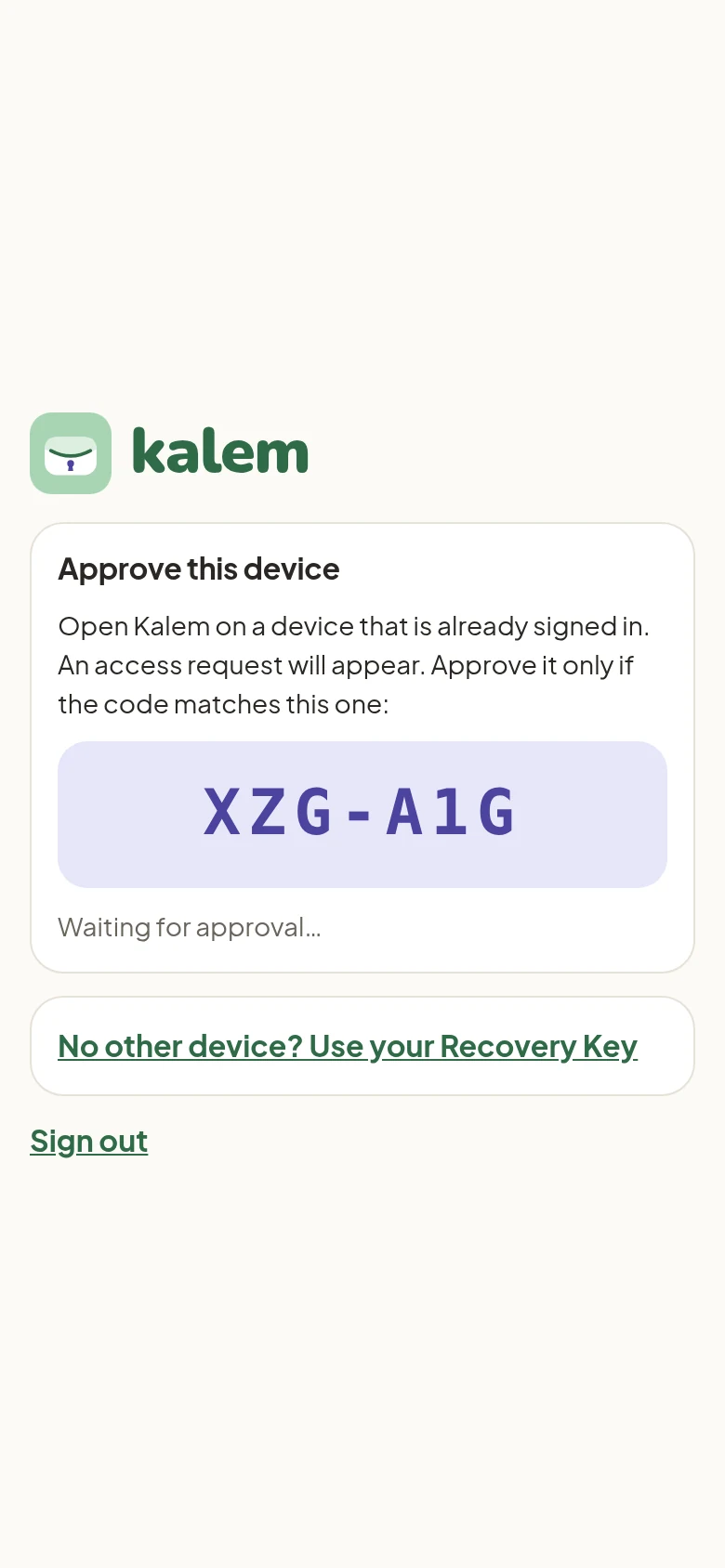
- On the new device, open Kalem and tap Continue with Google with the same account.
- The new device shows a code.
- Open Kalem on your old device. An access request appears. Approve it only if the code matches.
- All your data appears on the new device.
| New device | Old device |
|---|---|
 |
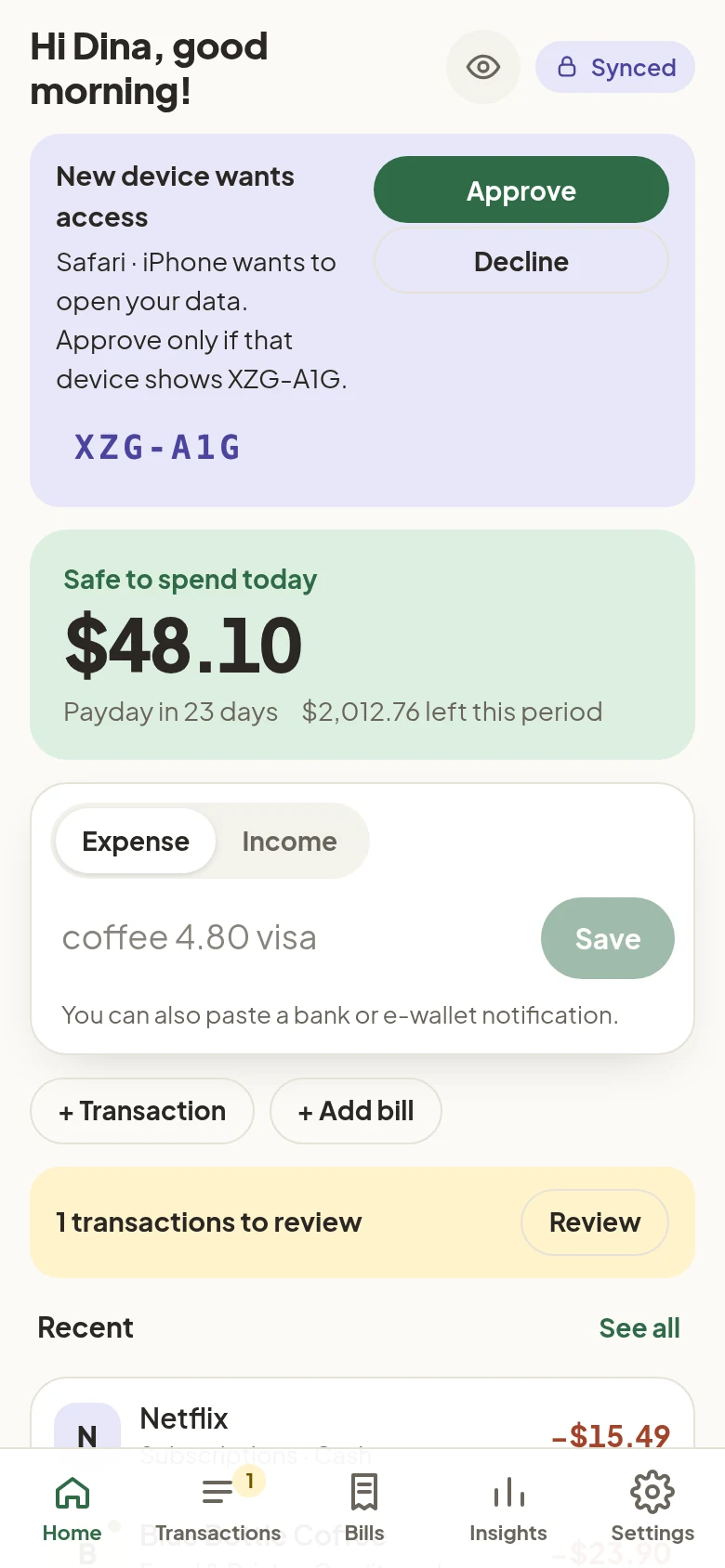 |
If the request doesn’t show up, tap Settings → Kalem account → Sync now on the old device.
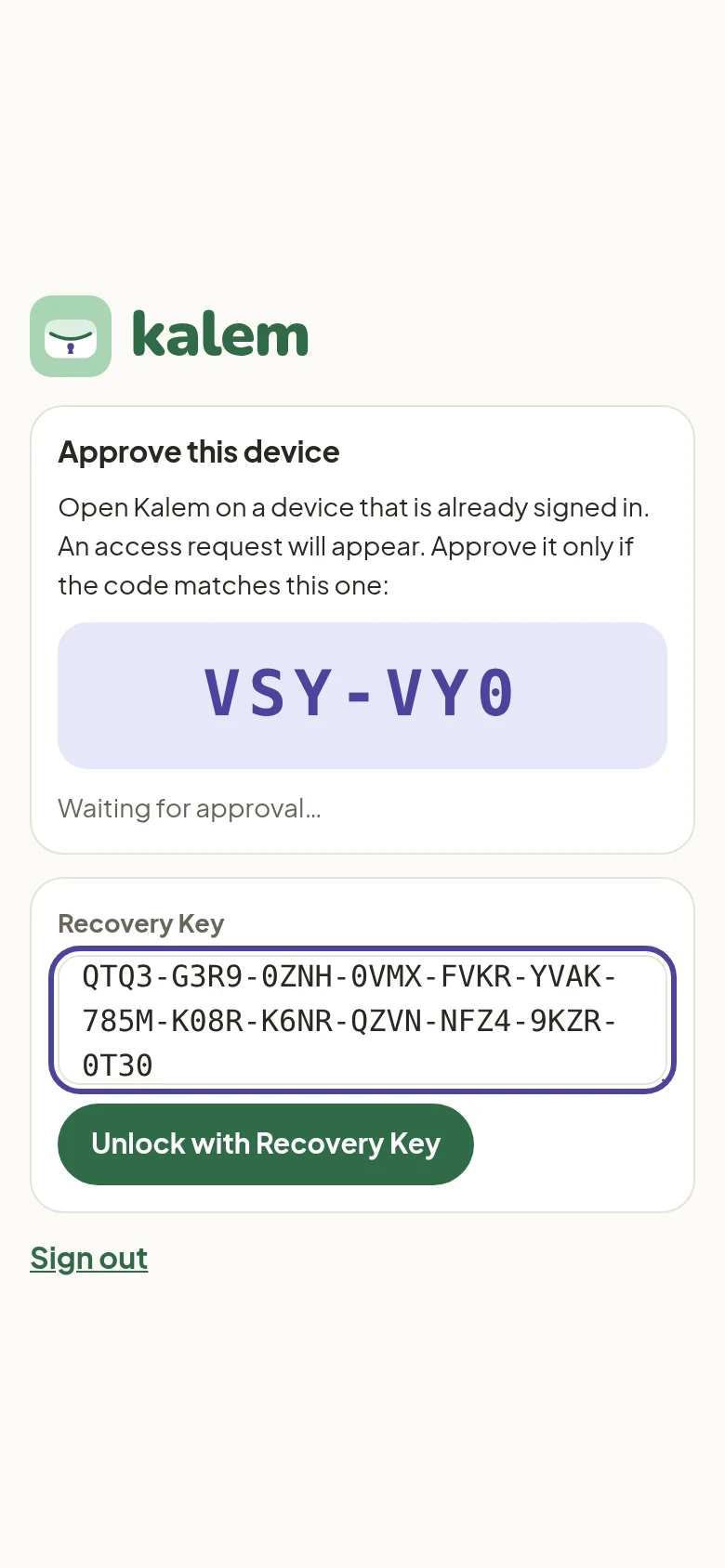
No other device (lost or broken phone)
On the code screen, tap No other device? Use your Recovery Key. Paste your Recovery Key and tap Unlock with Recovery Key.